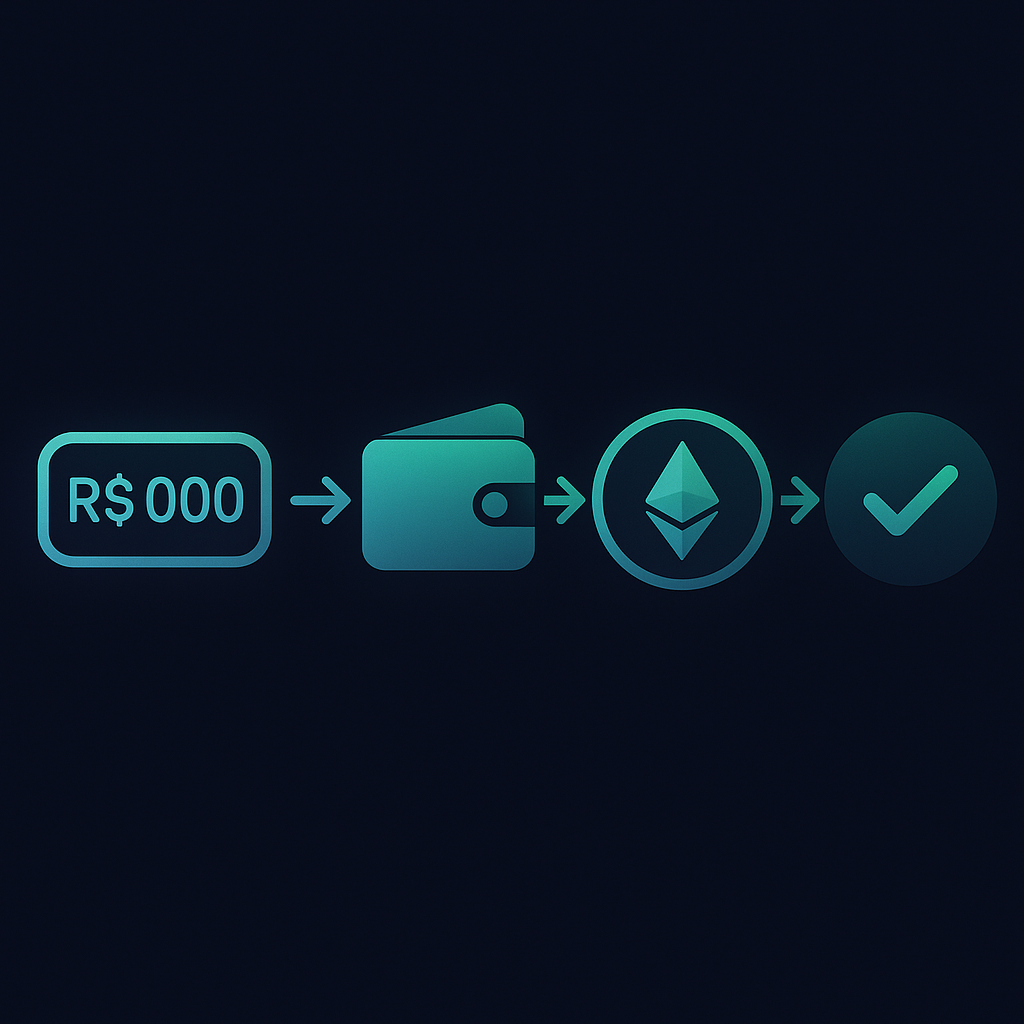
You have Reais and want USDT to hedge, BTC to invest, or L-BTC to use in Liquid. The PixGo Wallet has the Buy Crypto module: pay via PIX, receive crypto directly in your self-custody wallet. This guide shows how it works, limits, fees, and asset differences.
- Pay PIX → receive USDT, BTC, L-BTC or DEPIX direct in PixGo Wallet
- Limit: R$500/day cumulative (resets midnight Brazil time)
- Minimum: R$15 per purchase (R$100 when the token is BTC)
- Fee shown on screen before confirming (varies with amount and market)
- Self-custody — you control seed; PixGo doesn't hold the asset
- Available at wallet.pixgo.org + Capacitor app
Why buy crypto via PixGo Wallet?
- No new signup: uses the identification already done on your linked PIX
- Self-custody: crypto arrives IN YOUR wallet (your seed), not the exchange
- Transparent fee: the amount shows on screen before you confirm
- Liquid Network = privacy: Confidential Transactions hide value
- Tiny network fee: a few sats (in L-BTC) per send afterward, usually far less than on native Bitcoin (R$0.30 to R$30+, depending on congestion)
Want DePix in your wallet? You can buy it with PIX in PixGo Wallet.
See how to buy DePixWhat you can buy
| Asset | Network | Time | Use case |
|---|---|---|---|
| DEPIX | Liquid (BTC sidechain) | 1-3 min | Stablecoin 1:1 BRL, use for PIX out later |
| USDT | Liquid | 1-3 min | USD stablecoin, to keep part in dollars |
| L-BTC (Liquid BTC) | Liquid | 1-3 min | "Fast" Bitcoin, low fees, easy swap |
| Native BTC | Bitcoin mainnet | 10-60 min (1 conf) | Real Bitcoin, long-term custody |
Step-by-step — buy USDT (e.g., R$200)
- Go to wallet.pixgo.org
- Unlock with your password
- On the My Wallet screen, click Buy
- On Which token do you want to buy?, select USDT (and the network on Which network?, when it shows up)
- In the Amount in BRL field, type R$200 (the hint shows Min. R$15 • Max. R$500/day)
- Fill in Payer CPF/CNPJ (required)
- Click Get Quote and check the Purchase summary (PIX amount, fees, You receive, Network and Destination)
- Click Generate PIX QR Code and confirm with your password (or biometrics, if enabled) on Confirm operation — the PIX QR is valid for 20 minutes and has a Copy PIX Code button
- Pay PIX from your bank app, from an account under the CPF/CNPJ you entered
- Follow it on the same screen: PIX confirmed! Executing swap... and, at the end, Purchase complete!
- USDT arrives in Liquid wallet automatically and the purchase shows up under My Purchases
Limits
R$500 daily
Up to R$500/day cumulative (1 or several purchases). Resets every 00:00 Brazil time. Not per-asset — sums purchases of USDT + BTC + L-BTC + DEPIX same day.
R$15 minimum
Purchases below R$15 don't go through (for BTC, the minimum is R$100).
Want to buy R$5,000 in USDT?
3 paths:
- Split over 10 days: R$500/day x 10 = R$5,000 via Buy Crypto
- Via Gerar Cobrança + internal Swap: create the charge at Gerar Cobrança (follows your level's per-QR limit), receive DEPIX in the wallet by the end of the next day (D+1) and swap DEPIX→USDT in the internal Swap (no amount limit)
- Via BRSwap: with DEPIX in the wallet, BRSwap swaps it for USDT on other networks (Tron, Polygon etc.), with a 15 DEPIX minimum per order.
Fees and rate
The Buy Crypto fee shows on screen before you confirm and varies with the amount and the market. Always check the amount shown in the interface itself.
| Service | Avg spread | Custody |
|---|---|---|
| PixGo Wallet Buy Crypto | Shown on screen before confirming | Self-custody |
| Binance P2P | 2-5% | Custodial |
| Mercado Bitcoin | 1.5-3% | Custodial |
| Foxbit | 1.5-2% | Custodial |
| Bank/credit card | 5-10% | Non-custodial |
Which option to pick
Keep part in dollars → USDT
USDT is a dollar-pegged stablecoin: its value follows the dollar, not the Real. Liquid USDT has tiny fees to move.
Long-term investment → native BTC
Bought BTC to hodl 5+ years. Move to external hardware wallet. Don't use L-BTC for long hodl — convert to native BTC via peg-out.
Use Liquid for payments/swaps → L-BTC
L-BTC is "operational Bitcoin": fast, cheap, easy swap to USDT/DEPIX.
BRL stablecoin → DEPIX
DEPIX is a Brazilian real stablecoin (1 DePix = R$ 1). Useful for "PIX balance" in wallet, ready to send via Wallet PIX Button, pay boleto via CryPix, etc.
FAQ Buy Crypto
Limit reset is UTC or Brazil time?
Brazil (UTC-3). 00:00 BR = R$500 available again.
Can I buy via credit card?
NO. PIX only. Cards have chargebacks (bad for crypto). PIX is definitive.
USDT on Liquid vs Ethereum/Tron — difference?
USDT is Tether (same issuer). Difference is the NETWORK. Liquid USDT: a few sats in fees (in L-BTC), 1min confirm, CT privacy. Ethereum USDT: ~US$1-10 gas, 5-15min. Tron USDT: up to 5-15 TRX without stake, no CT. In PixGo Wallet you pick the network; Liquid is the most efficient to use alongside DEPIX.
Bought and want to send to external wallet
Works normally. Wallet → asset → Send → paste destination. L-BTC and Liquid-USDT need L-BTC for fee (if missing, use the Gas Station's Buy Gas button on the Liquid network screen).
Rate dropped after I paid the PIX
Rate is locked AT THE TIME of purchase (when QR is created). You receive the promised quantity regardless of volatility.
Can I sell (crypto → BRL)?
Not directly via Buy Crypto. To convert crypto → BRL on PixGo: 1. Wallet PIX Button (accepts Liquid DEPIX, USDT and USDC directly → BRL via PIX out) 2. L-BTC: internal swap L-BTC → DEPIX → PIX Button 3. External SideSwap (crypto → DEPIX) + PIX Button
Practical summary
- Buy Crypto: PIX → USDT/BTC/L-BTC/DEPIX in PixGo Wallet
- R$500/day cumulative, R$15 min/purchase (R$100 for BTC), fee shown before confirming
- Self-custody — your seed, no broker
- USDT: value protection; BTC: long hodl; L-BTC: operational; DEPIX: easy PIX out
- On the first purchase, the payer's CPF gets linked to your account
- Higher volumes? Charge via Gerar Cobrança (D+1) + internal Swap
Related reading: Wallet from zero · How to withdraw DEPIX · Liquid Gas Station